Super Over Tiebreaker
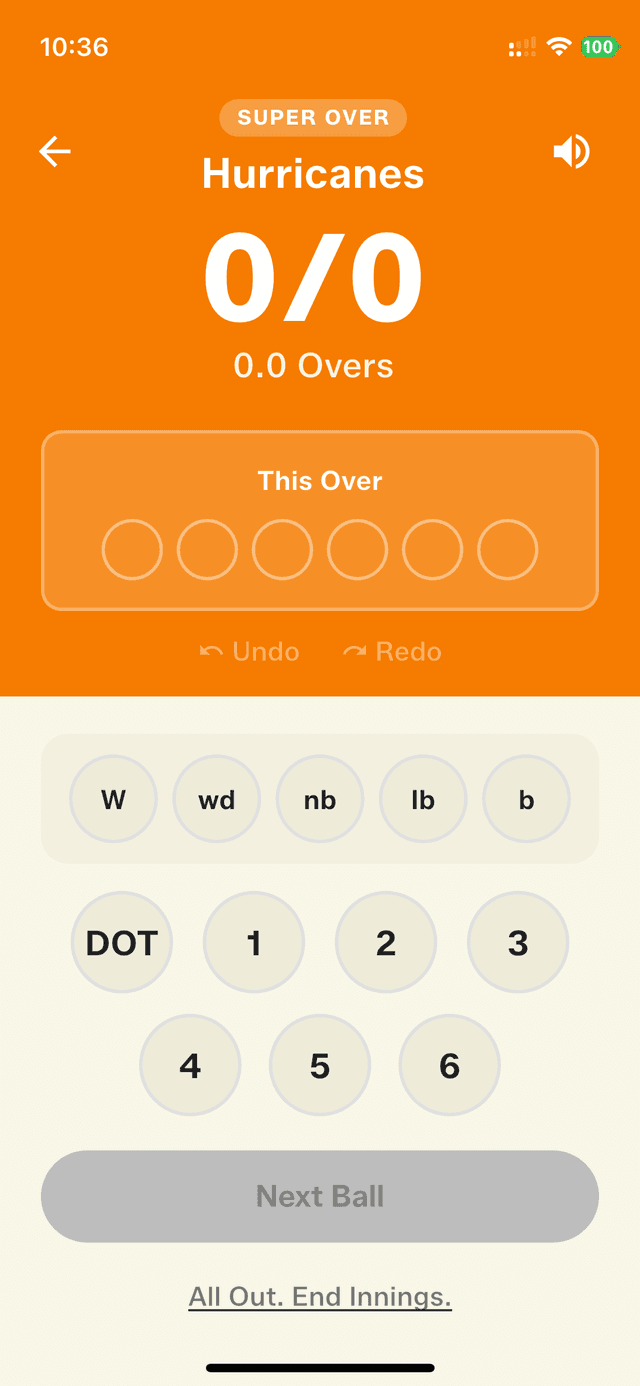
Tied matches now have a proper resolution. Trigger a Super Over directly from the match summary screen. Each team bats one over, and the highest scorer wins. Full scoring support with all the extras — wides, no-balls, wickets — everything tracked just like a regular over. And if the Super Over itself ends in a tie? Just play another one — Gully Crix keeps going until someone wins.
There's nothing quite like a tied match — and nothing more frustrating than not having a fair way to break it. In gully and box cricket, a tie used to mean a shrug and an argument, or a hastily improvised extra over with nobody quite agreeing on the rules. The Super Over tiebreaker brings the same drama you see in the big leagues straight into your local game, with the rules and the scoring handled for you.
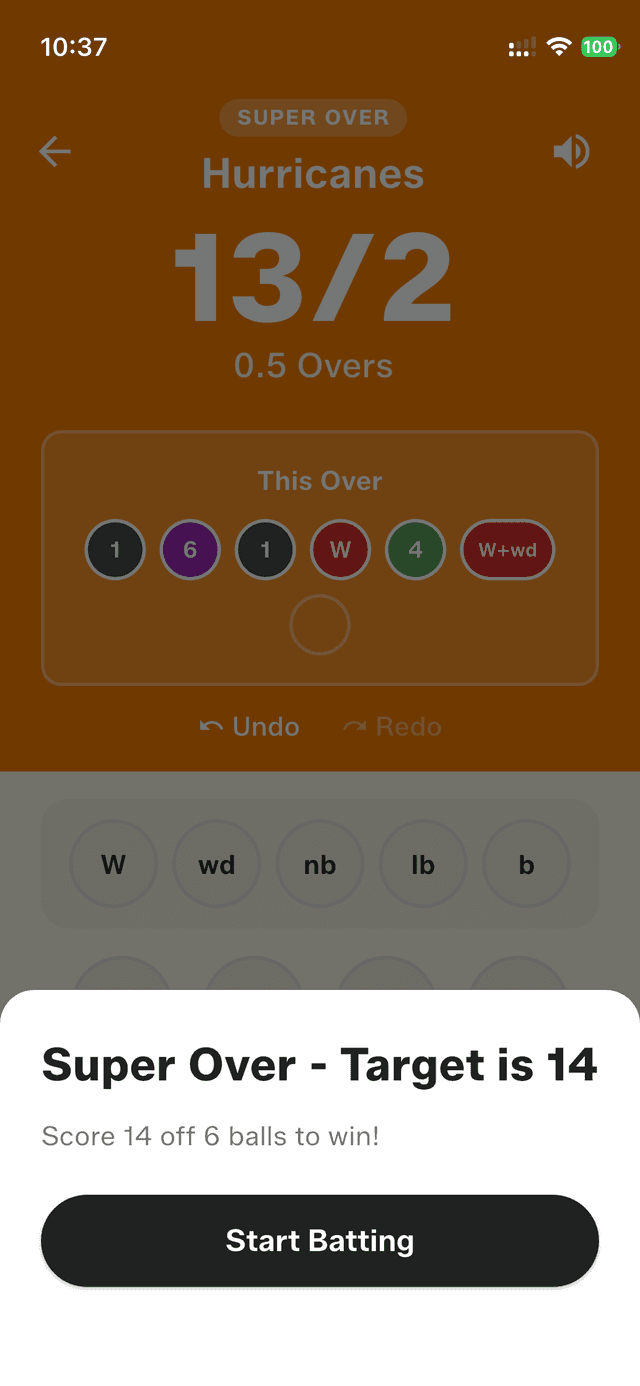
When a match finishes level, the tiebreaker options screen gives you a clear choice — and tapping "Super Over" sets it up automatically. The first team bats out a single over, scored exactly like any normal over: every wide, no-ball, and wicket is tracked, so there's no special counting to remember. A target is then set for the chasing side, and they know precisely what they need off their six balls. The winner is declared the moment both teams have batted.
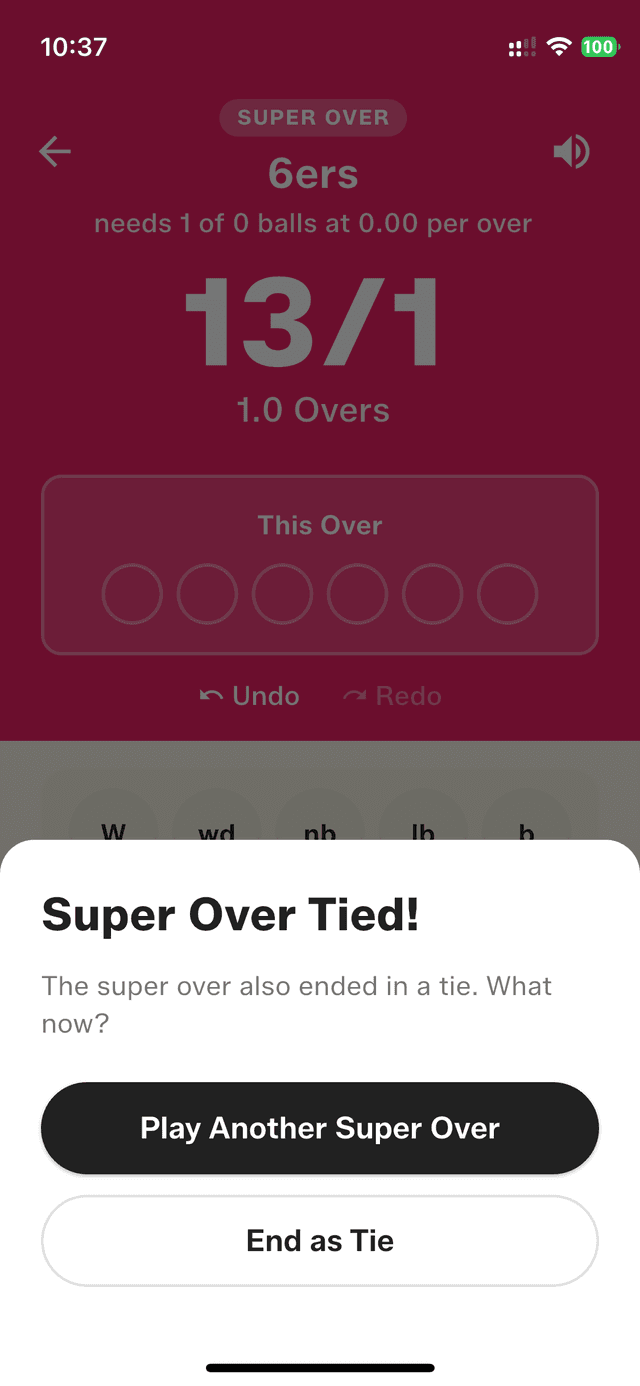
Best of all, a Super Over that ends level isn't a dead end. Tap "Play Another Super Over" and Gully Crix simply keeps going, round after round, until one side comes out on top — every round tracked so the final result reads honestly, for example a win in two rounds. It turns a deflating tie into the most exciting two minutes of the whole match.
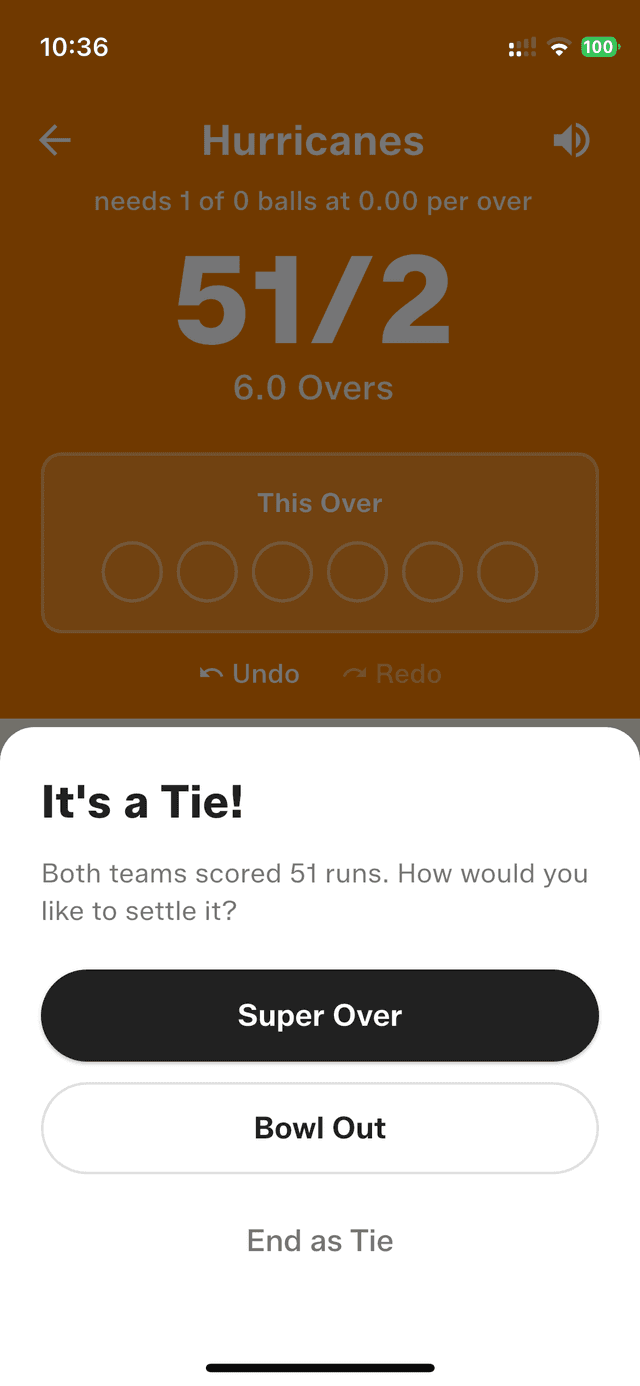

Both teams tied — choose Super Over, Bowl Out, or end as a tie
How to get started
- Complete a match that ends in a tie.
- Tap "Super Over" on the tiebreaker options screen.
- First team bats — score their over like any normal over.
- Second team gets their target and bats to chase it.
- The winner is declared automatically once both teams have batted.
- If the Super Over also ends in a tie, tap "Play Another Super Over" — you can keep going until someone wins.
Frequently asked questions
When can I use the Super Over tiebreaker?
The Super Over option appears on the tiebreaker screen as soon as a match ends in a tie. Tap it to set up a one-over-per-side decider.
What happens if the Super Over is also tied?
You can tap "Play Another Super Over" and keep playing additional rounds until one team wins. Gully Crix tracks how many rounds it took.
Are extras and wickets counted in a Super Over?
Yes. The Super Over is scored just like a regular over — wides, no-balls, and wickets are all tracked, so the result is accurate.