Sound Effects for Boundaries & Wickets
Scoring a six in silence felt wrong. We added distinct sound effects for boundaries (4s), maximums (6s), wickets, and dot balls. The sounds are short, punchy, and satisfying — they make scoring feel more like being at the ground. You can toggle them off in settings if you're in a quiet spot.
Half the fun of gully cricket is the noise — the roar when a six sails over the fence, the groan when the stumps go back. Scoring a big shot in total silence felt flat, like the app was missing the moment everyone else on the ground was living. So we gave every key event its own sound.
Boundaries, maximums, wickets, and dot balls each trigger a distinct audio cue. Tap 4 or 6 and you get a crowd roar; tap W and the stumps rattle. The sounds are deliberately short and punchy so they never get in the way of fast scoring — they punctuate the action instead of slowing it down, and make sitting with the scorer feel a lot more like standing at the boundary.
Of course, not every match is a loud one. If you're scoring in a quiet spot — a library corner, a sleeping baby nearby, a serious turf league where the captain wants focus — you can switch the sound effects off entirely in Settings. Volume up for the celebration, volume off when you need calm.
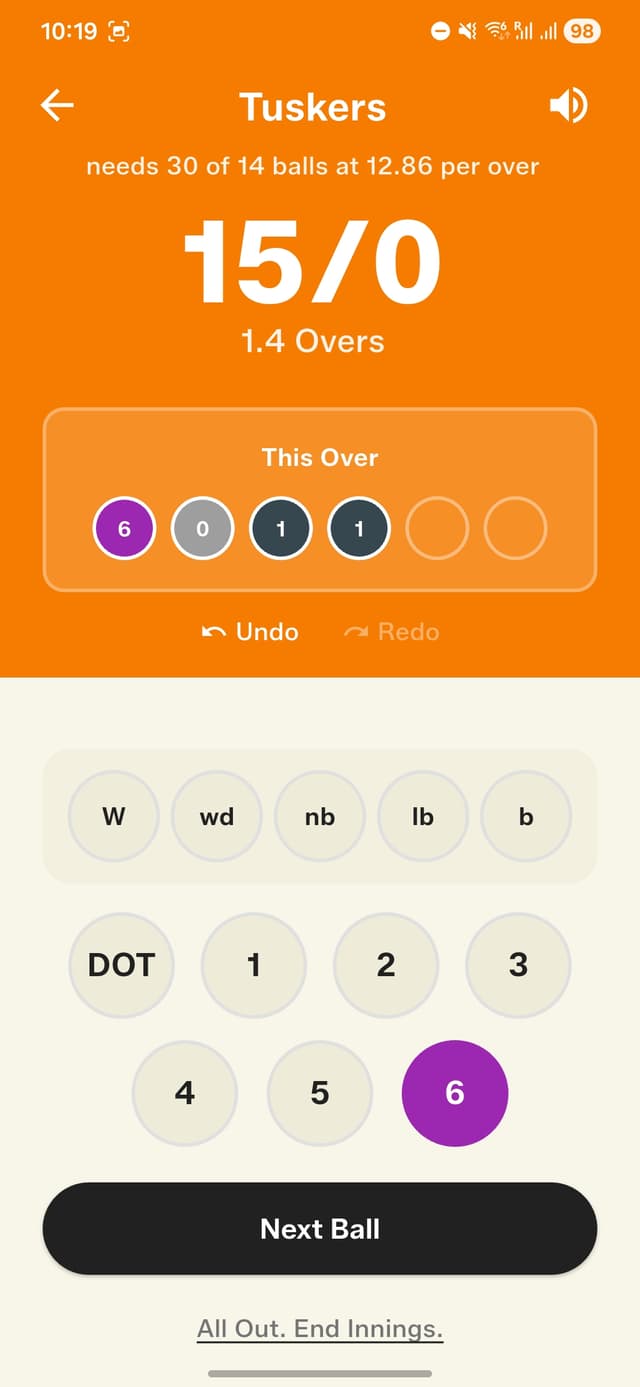
Every six triggers a crowd roar — feel the moment
How to get started
- Make sure your phone volume is turned up.
- Start scoring a match as usual.
- Tap 4 or 6 — you'll hear the crowd roar.
- Tap W (wicket) — the stumps rattle sound plays.
- To mute sounds, go to Settings and toggle "Sound Effects" off.
Frequently asked questions
Which events have sound effects?
Boundaries (4s), maximums (6s), wickets, and dot balls each have their own distinct sound — for example a crowd roar on a six and a stumps-rattle on a wicket.
Can I turn the sound effects off?
Yes. Go to Settings and toggle "Sound Effects" off whenever you're scoring somewhere quiet.
Why don't I hear any sounds while scoring?
Make sure your phone's volume is turned up and that Sound Effects is enabled in Settings.